My NetNewsWire Style
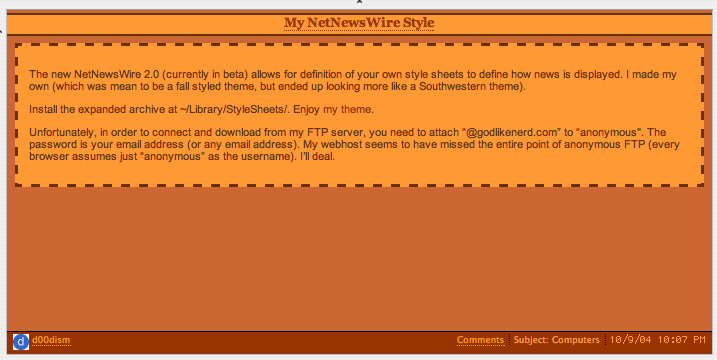
The new NetNewsWire 2.0 (currently in beta) allows for definition of your own style sheets to define how news is displayed. I made my own (which was mean to be a fall styled theme, but ended up looking more like a Southwestern theme).
Install the expanded archive at ~/Library/StyleSheets/. Enjoy my theme.
Unfortunately, in order to connect and download from my FTP server, you need to attach “@godlikenerd.com” to “anonymous”. The password is your email address (or any email address). My webhost seems to have missed the entire point of anonymous FTP (every browser assumes just “anonymous” as the username). I’ll deal.
Addendum 1: Apparently Brent Simmons found this post. Color me flattered. Someone requested that I post a screenshot and considering that I now have high visibility on this item, I’m definitely going to have to. I should also warn that I haven’t cleaned this up for the combined view. I’m also going revise it for that today.
Addendum 2: I’ve updated my theme to 1.1. Below is a screenshot. I’ve moved the picture to the extended entry to keep homepage load time light.
Addendum 3 10/13/2004: Changed the name to Autumn for inclusion with NetNewsWire.
Comments